We offer multiple ways to pay for your parking here in Beaufort. Take a look below and find out what method works best for you!
You can pay directly at the meter, usually located at the front or rear of your vehicle depending on the space. Our CivicSmart meters accept Visa, Discover, and MasterCard credit/debit cards, all U.S. denominations of coin, and City of Beaufort Parking Tokens. If you need any assistance with a meter, please give our meter technician a call at (843) 271-0431.
You can pay by text. On every meter is a 4-digit zone number (e.g.- 4936) that you can text to 30202. You’ll receive a text back with a link that will take you to Parking.com to enter your license plate and registration state. Next, select the amount of time you wish to park. Finally, enter your payment information and you’re all done! You’ll receive a receipt via email, as well as a confirmation email.
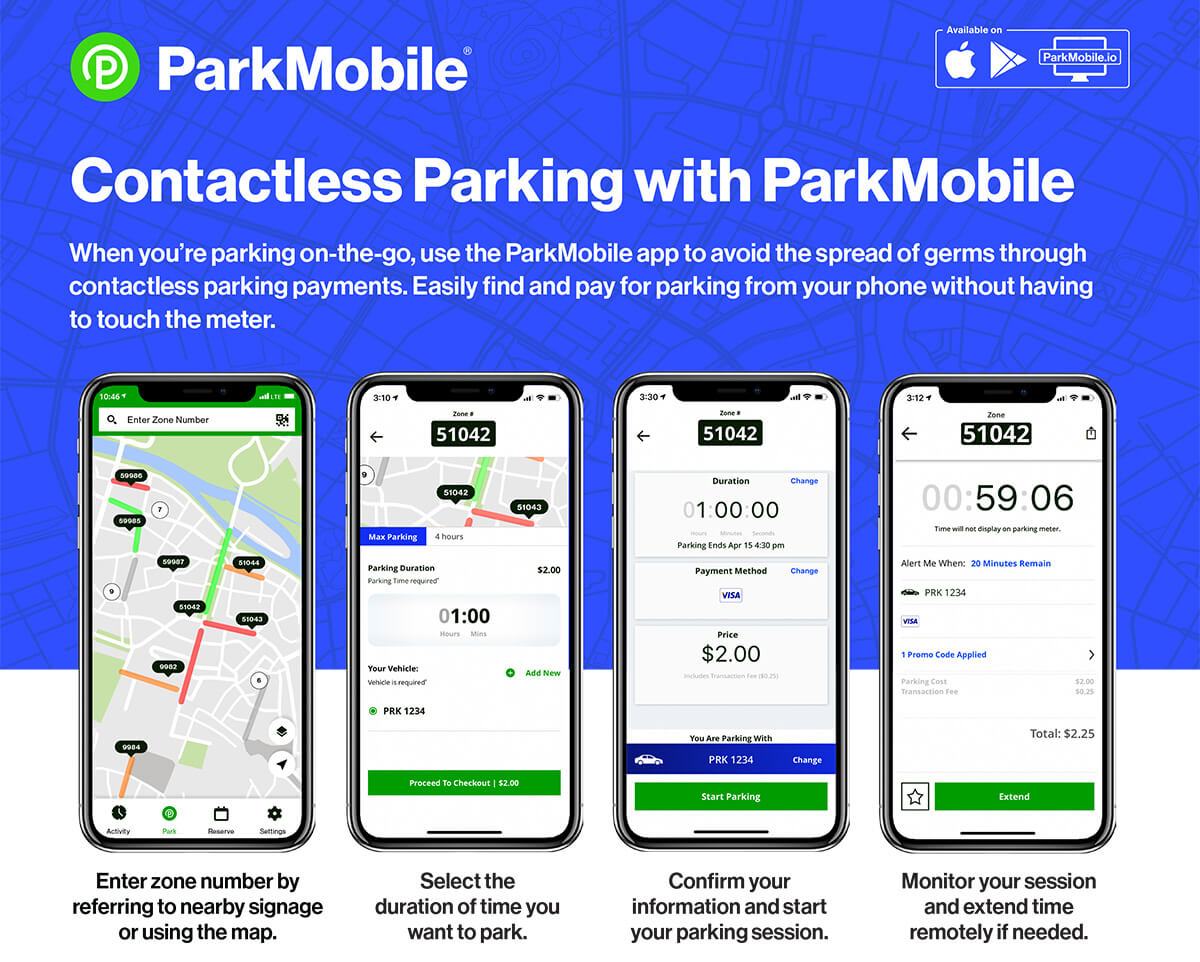
You can use the ParkMobile app. Once you open the app, search for the zone by typing in the 4-digit zone number listed on the meter. You may get a pop-up asking you to pick a city/state, as some zone numbers have been used in other locations. Be sure to pick Beaufort, SC. Next, select the amount of time you would like to park. Then, if you don’t already have an account, select “Add New” next to the “Your Vehicle” line and enter your vehicle information. Finally, enter your payment information and checkout. You’re all set! You’ll get a confirmation email and receipt.
Depending on the location pay stations either accept coins, bills, and credit and debit cards or coins and credit and debit cards only.
When parking, please remember your plate number, identify the nearest pay station, and follow the onscreen directions to enter you plate number and select your payment option.
Receipts are optional and you do not have to display it on your dash. Parking time limits still apply.
To pay for parking using the app, do the following:
Enter zone number by referring to nearby signage or using the map.
Select the duration of time you want to park.
Confirm your information and start your parking session.
Monitor your session and extend tie remotely if needed.
Select to view larger image
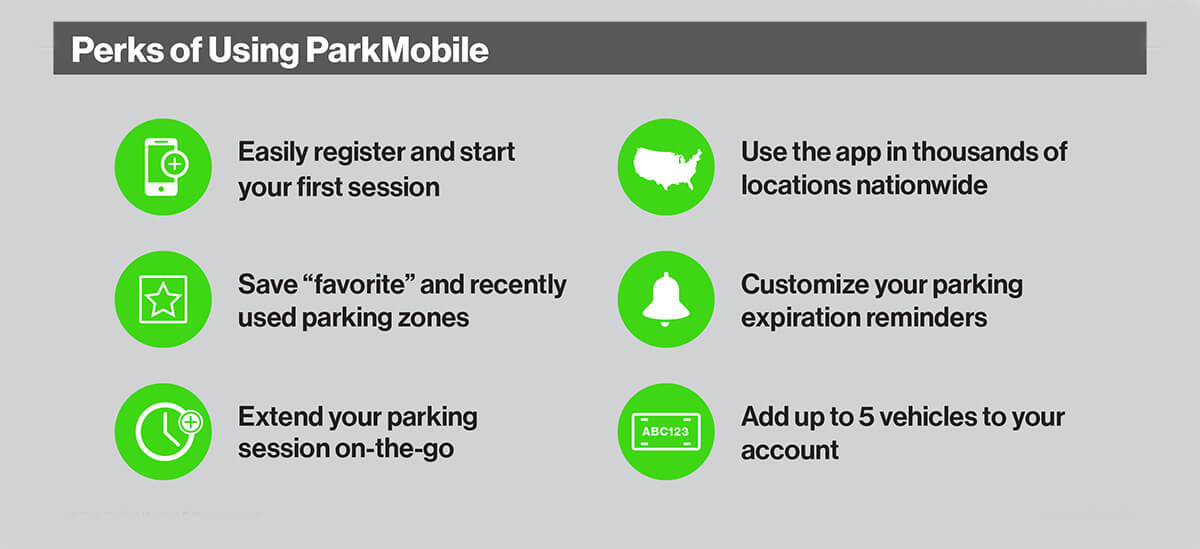
Perks of Using Your Phone to Park in Beaufort
Select to view larger image
Pay Station versus Single-Space Meter Parking in Beaufort
What is a parking pay station?
Pay stations replace traditional single space parking meters and offer more payment options. One pay station is typically installed for approximately every 8-10 parking spaces instead of at every space and are strategically located throughout the city.
What are single-space meters?
Single-space parking meters for on-street parking are located throughout the City of Beaufort. These single-space meters will accept credit cards (Visa, MasterCard, Discover, or Amex), debit cards or coins.
Report a Meter Issue
Report a meter issue to help Beaufort improve parking for everyone.